
>_ claude -c
Direct Claude CLI integration
Open the Agent Shell in your project folder and continue with Claude Code – one session per project, reused every time.
// agentic editor for macOS
████████╗██╗███╗   ██╗██╗   ██╗███████╗██████╗
╚══██╔══╝██║████╗  ██║╚██╗ ██╔╝██╔════╝██╔══██╗
   ██║   ██║██╔██╗ ██║ ╚████╔╝ █████╗  ██║  ██║
   ██║   ██║██║╚██╗██║  ╚██╔╝  ██╔══╝  ██║  ██║
   ██║   ██║██║ ╚████║   ██║   ███████╗██████╔╝
   ╚═╝   ╚═╝╚═╝  ╚═══╝   ╚═╝   ╚══════╝╚═════╝
Write, plan and sketch with AI agents – then hand the work to Claude Code with one click. Text, Kanban and whiteboard live side by side in one tiny, native Mac app.
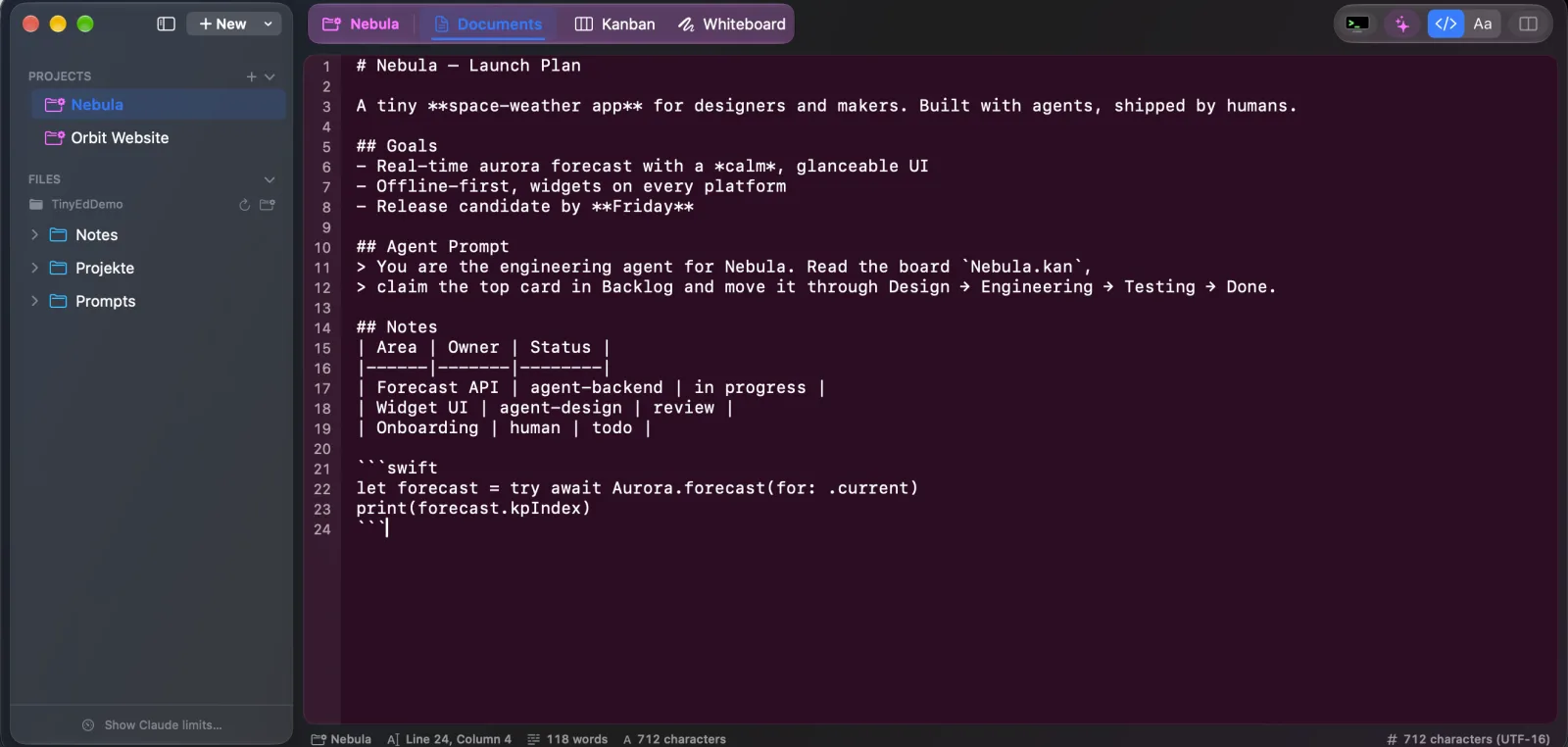
One project folder holds your notes, your board and your sketches. Humans and agents work on the same plain files.
Open the Agent Shell in your project folder and continue with Claude Code – one session per project, reused every time.
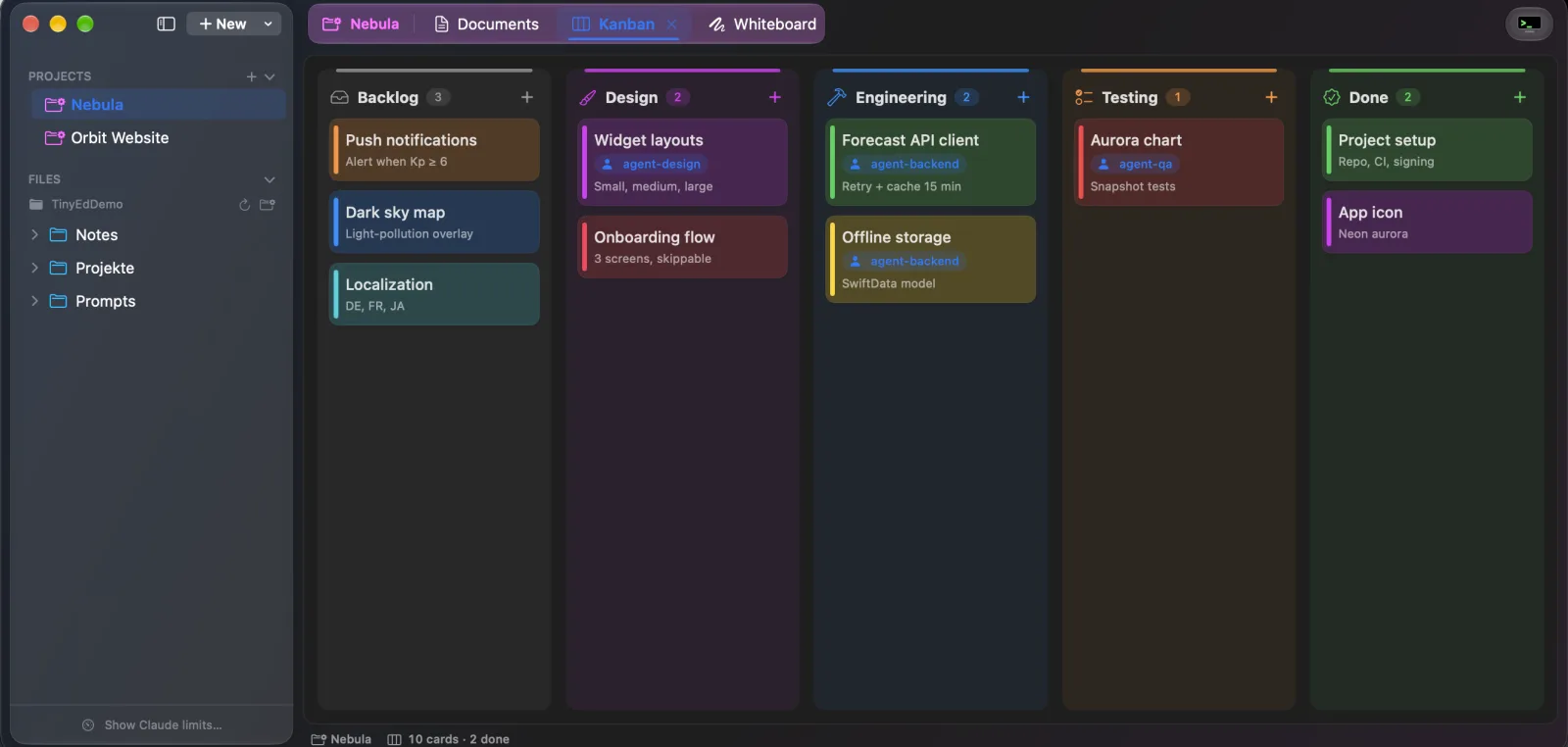
Boards are plain JSON. Agents claim cards, move them through the columns and you watch it happen live.
Hand-drawn diagrams built in, with libraries for architecture, system design, wireframes and network icons.
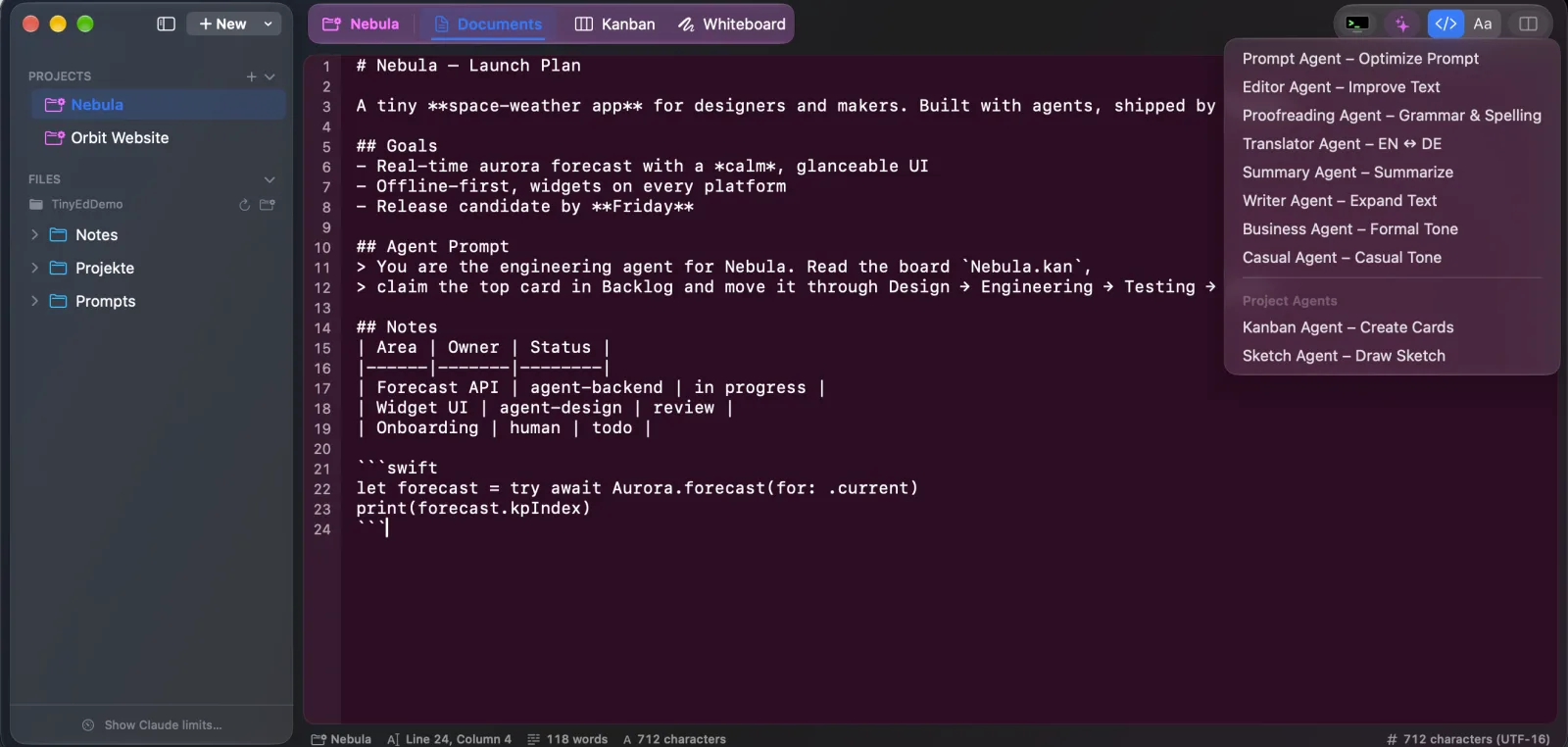
The Prompt Agent turns rough ideas into precise, structured prompts for Claude and Claude Code.
Editor, proofreader, translator, summarizer and more – powered by leading LLMs via OpenRouter, with your own API key.
API keys in a Touch ID–locked Keychain vault. Claude Code uses them per project – without ever seeing the values.
TinyEd opens iTerm2 right in your project folder and runs claude -c – so Claude picks up exactly where you left off. Each project keeps its own session.
Every board is a simple .kan JSON file. Agents read and write it – even while TinyEd is closed. When it’s open, changes merge live per card and light up for a few seconds.
A full Excalidraw whiteboard lives inside every project. Sketch architectures, user flows or wireframes – or let the Sketch Agent draw a first draft from your text.
.excalidraw files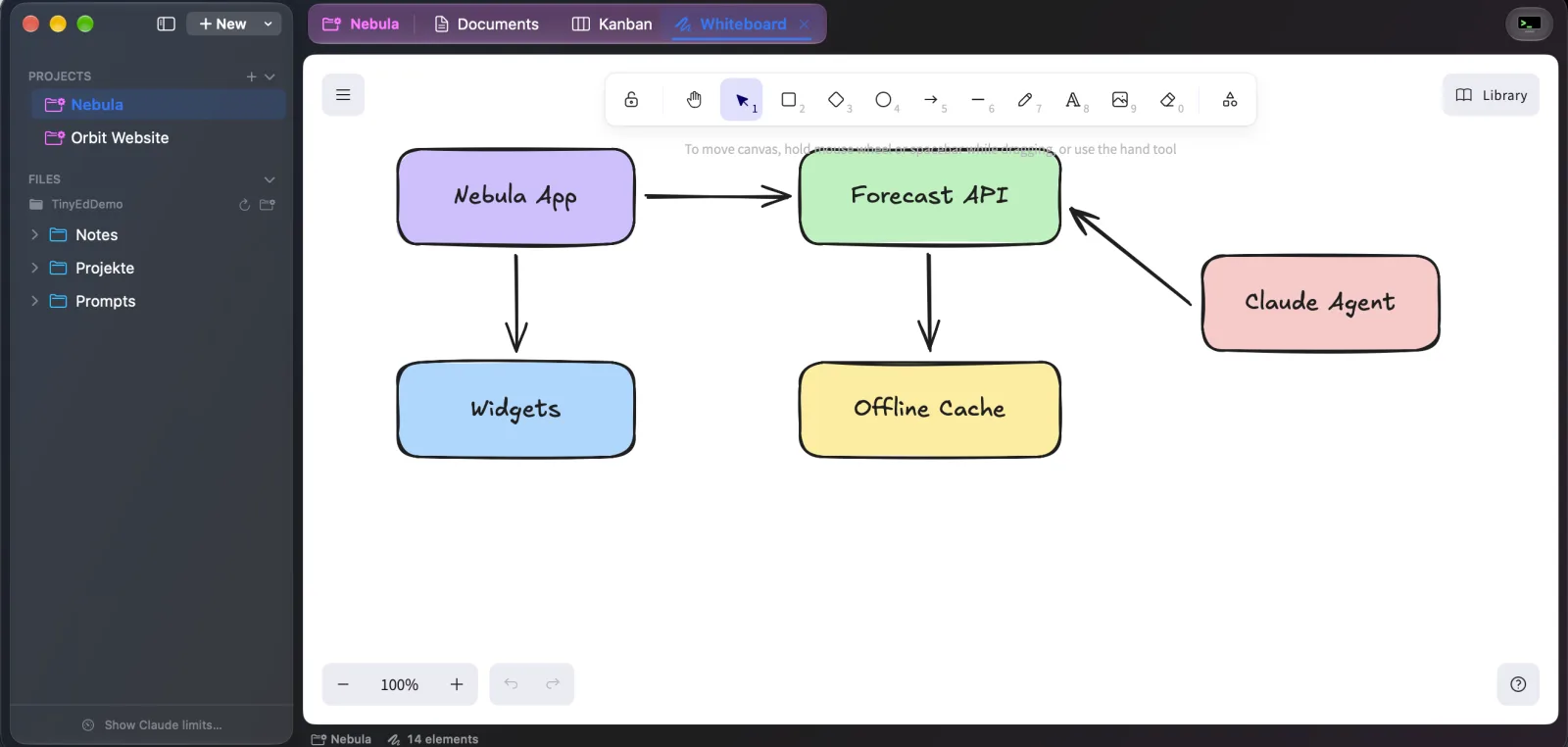
Select text, pick an agent, review the result. Bring your own OpenRouter key and choose Claude Haiku, Sonnet, Opus or GPT. URLs and file paths always stay untouched.

TinyEd’s agents run on large language models via openrouter.ai – one API key gives you Claude, GPT and more. You need your own OpenRouter API key; you only pay OpenRouter for what you actually use.
Sign up at openrouter.ai/keys, add credits and create a key. Tip: set a credit limit on the key.
Open Settings → Agents and paste the key. TinyEd checks it right away.
Claude Haiku, Sonnet, Opus or GPT – set a default and separate models for the Kanban and Sketch Agents.
Keep API keys and tokens for Supabase, ElevenLabs, OpenRouter, Google Cloud and more in a Touch ID–locked vault in your macOS Keychain. Claude Code gets its own agent key per project and runs commands with the secrets injected – without the values ever showing up in the chat, the code or your git history.
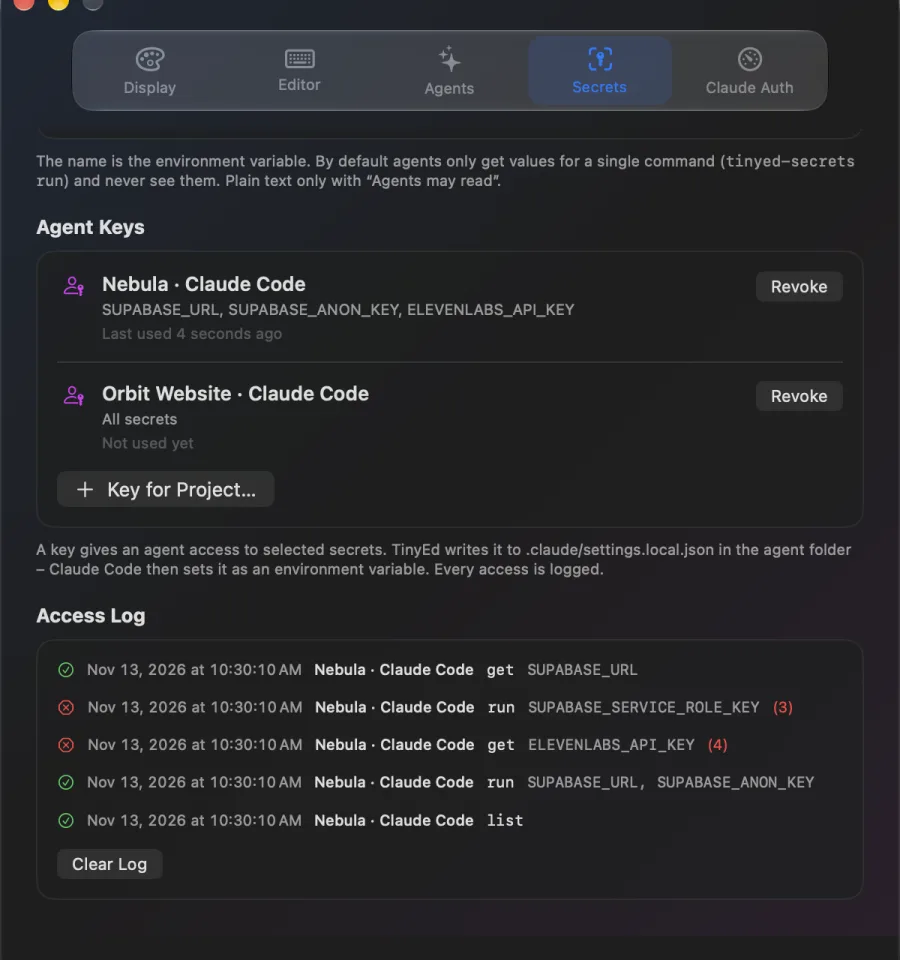
SUPABASE_URL. The vault locks itself after 5 minutes.TINYED_SECRETS_TOKEN into .claude/settings.local.json – and keeps that file out of git.tinyed-secrets run … -- command (TinyEd puts the helper’s path in $TINYED_SECRETS_CLI and tells Claude how to use it in the agent prompt). The values exist only in that one command’s environment; files like a service-account JSON become temporary files that are deleted afterwards.$ tinyed-secrets list SUPABASE_URL – Nebula project URL SUPABASE_ANON_KEY – Public anon key ELEVENLABS_API_KEY – Voice-over $ tinyed-secrets run SUPABASE_URL SUPABASE_ANON_KEY \ -- npm run dev ▸ ready on http://localhost:3000 $ tinyed-secrets get ELEVENLABS_API_KEY ✗ secret may only be used via `run` (reading is not allowed)
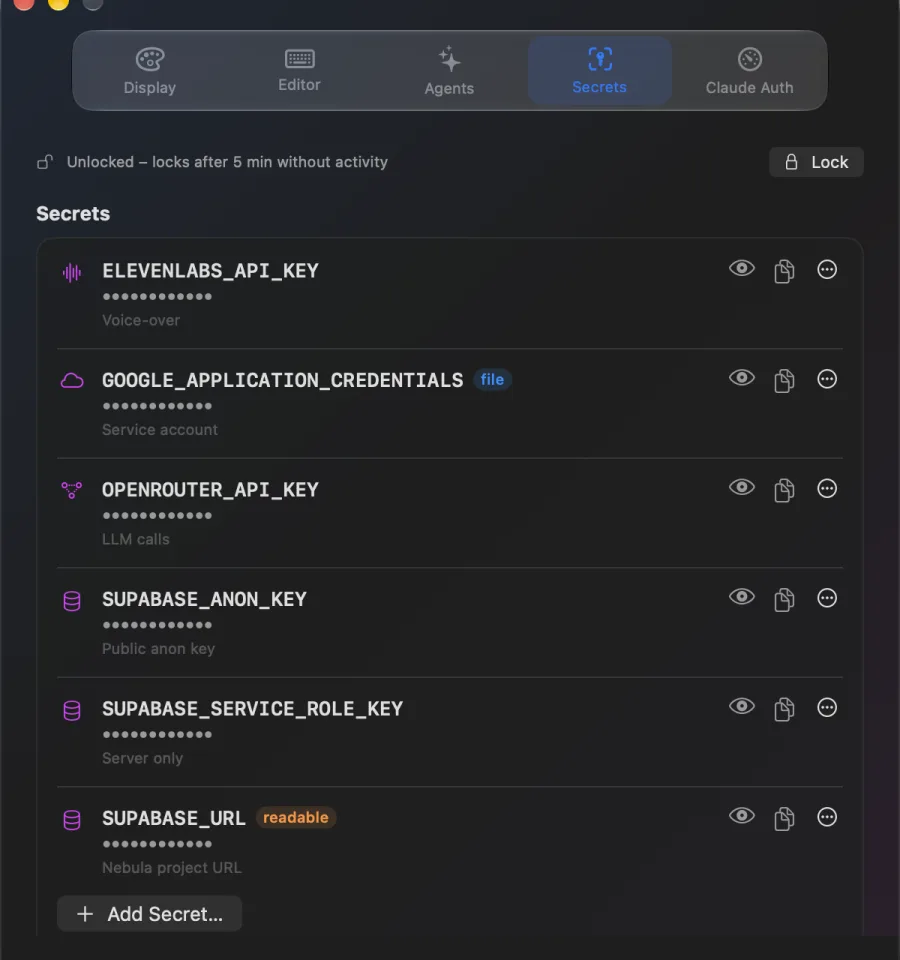
Values live in the macOS Keychain. The vault opens only with Touch ID or your password and locks again automatically.
Each agent key only unlocks the secrets you granted. TinyEd stores just its hash – revoke it and it’s removed from the agent folder.
By default agents only get values inside run. Plain-text access needs an explicit “Agents may read” per secret.
See which agent asked for what and when – allowed or denied. The log never contains values.
The helper talks to the running app over a local-only connection. No cloud sync, no TinyEd server.
No secrets in project files, prompts or commits – and the agent key file is excluded from git automatically.
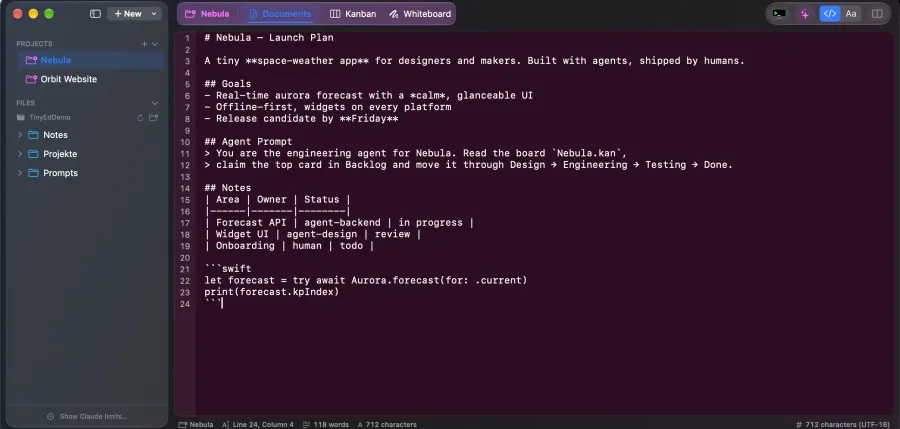
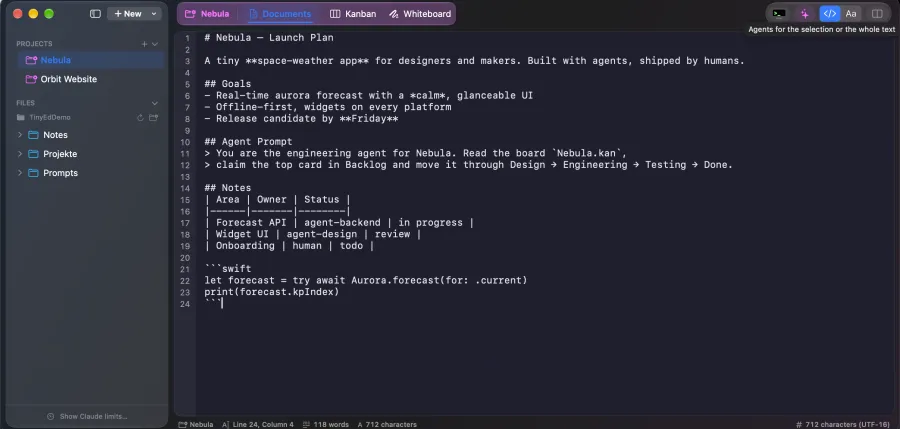
A project is just a folder: Markdown notes, a Kanban board and a whiteboard with the same name. Finder, git, scripts and agents all understand it. Synced via iCloud Drive if you like.
$ tree Nebula
Nebula/
├── Nebula.md          # notes & specs
├── Nebula.kan         # board for agents
├── Nebula.excalidraw  # whiteboard
└── Nebula.config.json # agent shell settings
Sketch flows and wireframes, collect feedback on a board and let agents polish your copy.
Plan architecture on the whiteboard, break work into cards and hand them to Claude Code.
Describe what you want, optimize the prompt and let your agents ship – while you stay in flow.
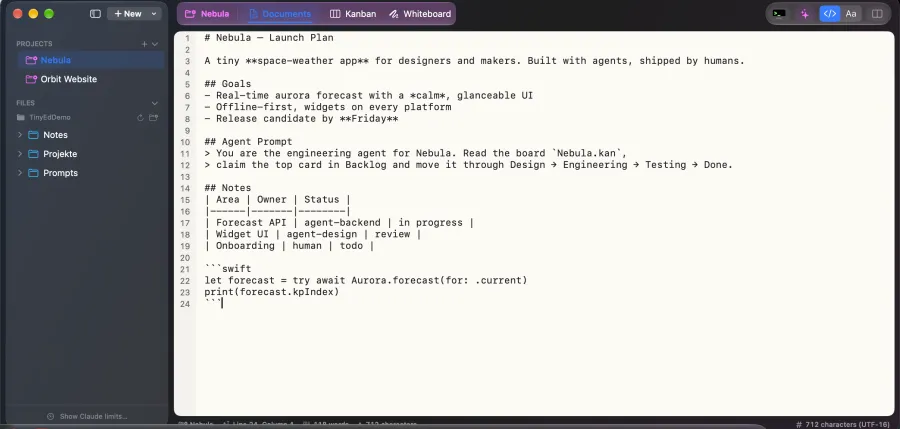
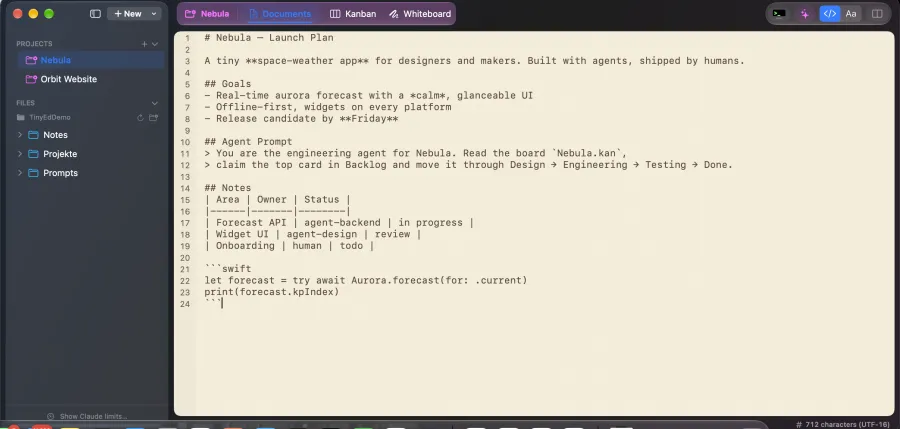
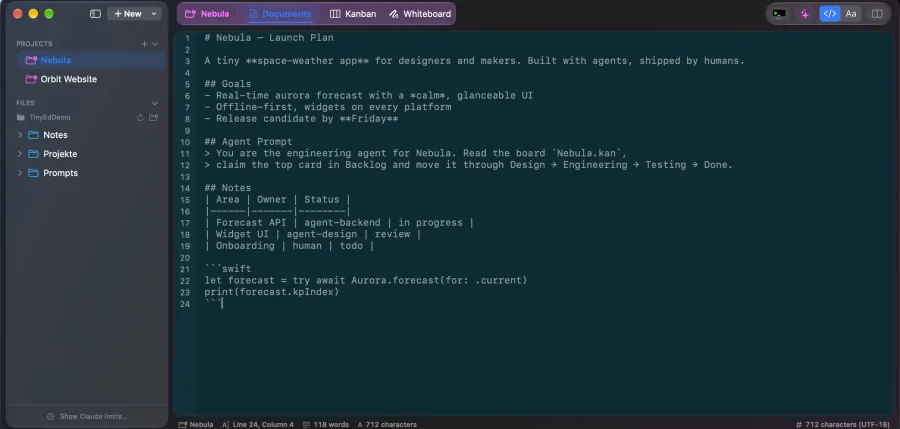
Native macOS, light or dark – with ligature-ready fonts built right in.
Download TinyEd and start your first project in seconds. For the AI agents, add your own OpenRouter API key – stored securely in your Keychain. Updates arrive automatically.